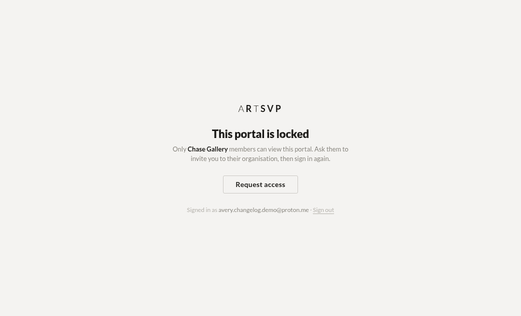
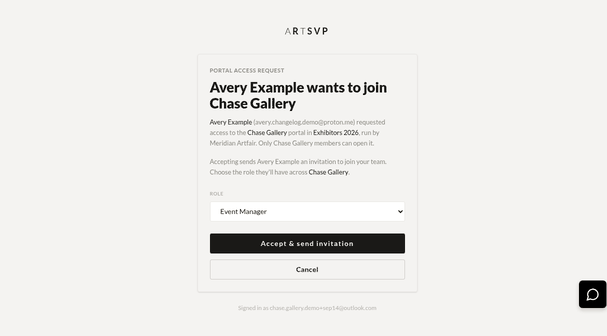
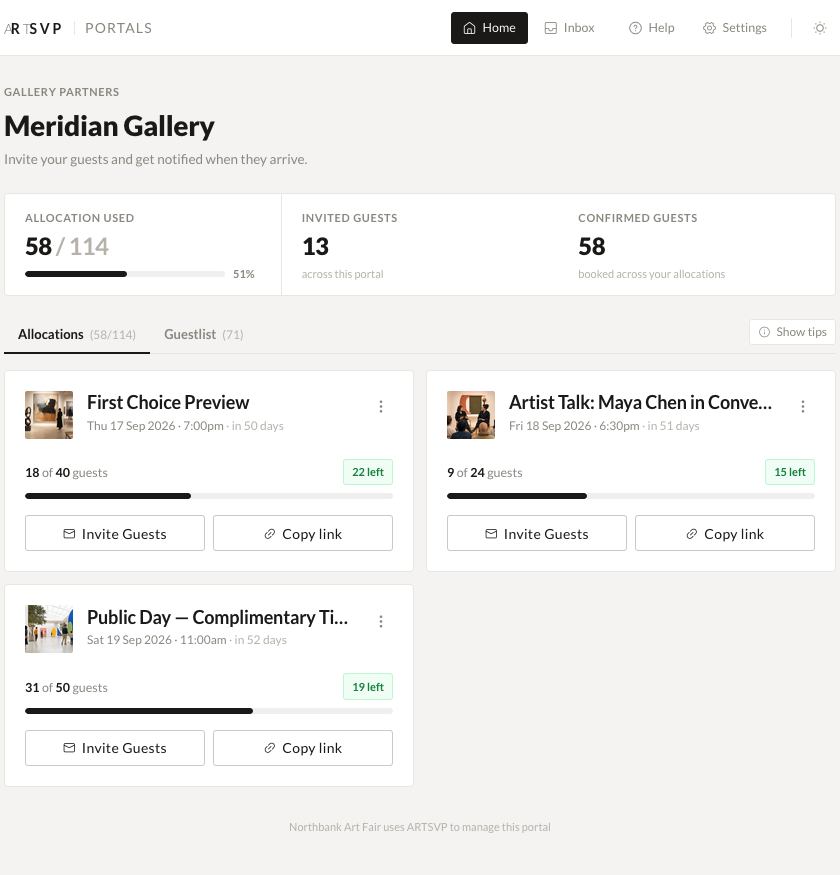
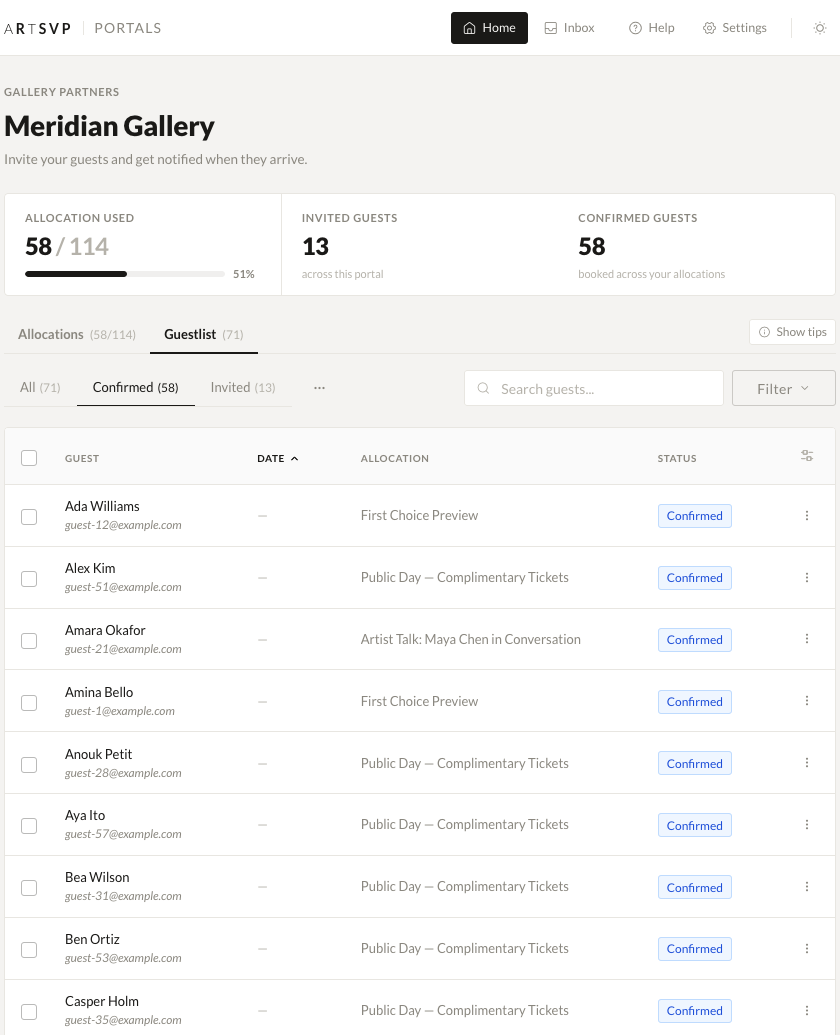
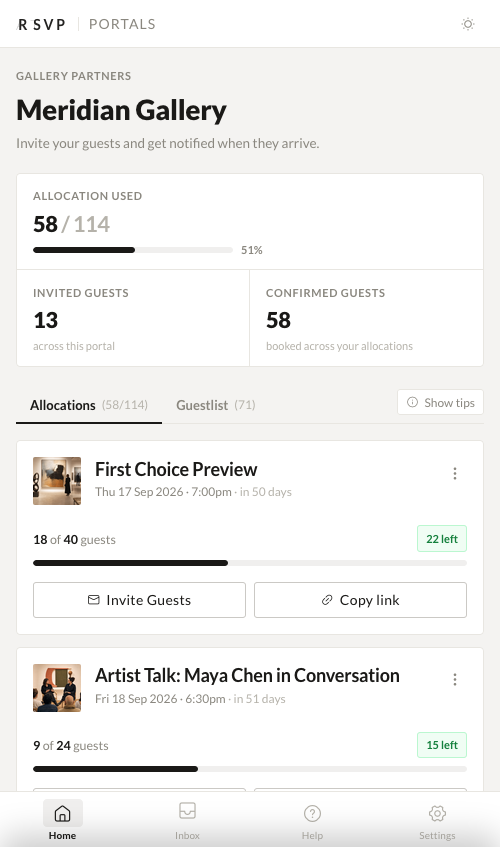
Guest list view now available for all art fair organisations — You can now access the full guest list view directly from your dashboard, making it easier to manage attendees across your events.
Facebook Pixel tracking for all organisations — You can now connect your Facebook Pixel directly from your account settings to track conversions and retarget visitors — no need to request activation.
Hybrid validation mode for scanners — When setting up scanners, you can now choose a hybrid validation type that combines online and offline checking for more flexible entry management.
Improved
Cleaner booking forms — Removed the register-interest notice box from booking forms for a simpler, less cluttered experience for your guests.
Fixed
Wallet passes now fail gracefully — If there's a temporary issue generating a wallet pass (Apple Wallet, Google Wallet), you'll see a helpful message instead of an error page.
Portal invite pagination fixed — Resolved an issue where the invites page on portals could error when there were no invitations to display.
Complimentary bookings now process correctly at terminals — Fixed an issue where zero-cost bookings (e.g. fully comped tickets) could cause an error during terminal checkout.
Custom Reminders and API Upgrades
Here's what's new and improved this week!
New
Custom reminder times for event emails — You can now set a specific date and time for when reminder emails go out, instead of being limited to preset options. Pick the exact moment that works best for your event.
Slot availability in the API — The event API now returns real-time availability for each time slot, including available and total capacity — perfect for integrations that need to show live availability.
Improved
Cleaner default ticket naming — New events now default to a ticket named "Standard" while still showing "Number of People" on the booking form, keeping things tidy on your end.
Fixed
Transactions page no longer errors on missing dates — Fixed an issue where the transactions page could crash if a payment hadn't fully processed yet.
Scanner code syncing is now more reliable — Resolved a rare issue where scanner codes could fail to sync if a guest was removed at just the wrong moment.
Invitation email images now load reliably — Images in custom invite emails are now served from our own infrastructure for better reliability.
Improved scanner guest list handling — Fixed an edge case that could cause errors when loading guest lists for scanners with no events assigned.
Geolocation Based Passes & Other Improvements
New
Location Based Pass Surfacing — Passes generated will now surface intelligently when you are approaching the event venue. This feature is enabled automatically for Apple devices, and needs to be enabled for Android devices through the Google Wallet application.
Improved
Booking confirmation emails now display all qr codes associated to the booking, make it easier than ever to locate your party's tickets at the door.
Fixed
Added additional clarification to the invite send window notifying what event or collection the invite is being sent for, of if it's being sent for multiple.
The event header on the application side now displays the correct date, accounting for timezone.
Contact search improved through organisation scoping.
Date picker removed from bookings page for multi slot events
Search Acceleration, Portal Group Archiving & Smarter Invite Sends
This release focuses on faster global search, cleaner sign-in flow persistence, better organization with portal group archiving, and standardized invite emails across the app.
New
Portal Group Archiving
You can now keep your portal groups tidy by archiving anything that’s no longer active. We added a redesigned index with tabs that let you flip between Active and Archived views. From the index, you can quickly archive or unarchive groups using a new toggle, and the updated UI makes filtering and scanning large lists much easier. The feature ships with comprehensive tests to ensure reliability.
Standardized Invite Email Templates
Invite email customization is now consistent across Collections, Events, and Portals. Collections get a default invite template field on the Edit page, and singular invites automatically pull the right copy from sensible defaults when a custom text isn’t present.
Persistent “Remember me” for Authentication
Signing in is smoother thanks to this change by default across all sign-in routes. Your preference now persists through Google OAuth and OTP verification, reducing unnecessary re-auth prompts while keeping the flow secure and convenient.
Improved
Global Search Speed has increased dramatically through index tweaks
Contact search sanitisation has improved significantly
Terminal Upgrades & Performance Boosts
This week brings powerful improvements across the platform with the introduction of self-serve Stripe Terminal capabilities, significant performance boosts to search and page loading times, and enhanced OnePass scanner functionality—all focused on making your event management experience smoother and faster.
New
Stripe Terminal Upgrades
Stripe Terminal now supports full self-serve management. A new terminal management interface allows users to add or delete terminals directly via Turbo, with form validations and default location management built in. Support for the S700 device has been confirmed and tested. The booking form JavaScript was refactored for cleaner, more maintainable code, and a modal closure issue that could cancel successful transactions has been resolved. Full documentation has been added for reference.
Improved
Contact search speed improvements
Simplified PG search queries to prevent connection pool issues
Added email column indexing
Reduced rack timeouts on autocomplete (invites, bookings, guest editing)
Site-wide speed increases
Added caching for subdomain constraint queries (collection, event, organization routes)
Products table index added (speeds up event show page loading)
Bot subdomain probing blocked via rack attack
Redis counts implemented for landing page (hourly cron job vs real-time map counts)
This week we’ve made significant strides in enhancing ARTSVP’s event management capabilities. The standout update is our new Register Interest configuration, giving event organizers more flexibility in how they collect and manage bookings. We’ve also completely revamped our scanner pipeline, unifying the experience across web and mobile platforms. Read on to discover all the improvements we’ve deployed this week to make your event management smoother and more efficient.
New
Register Interest Configuration: Create events that accept either standard bookings or registered interest bookings from the start. This powerful new feature allows you to:
Set different booking styles for different events within the same collection
Override booking styles via specific links or invites
Perfect for organizations displaying collections with mixed booking requirements
Enhanced Webhooks, Organisation Index Pages, and Key Fixes
This week’s updates bring exciting enhancements to our platform, including a revamped webhook interface for better data tracking and the launch of Organisation Index pages to showcase your events. Plus, we’ve rolled out key fixes and improvements to make your experience smoother than ever!
New
Improved Webhook UX and Data Tracking
Our webhook interface has gone a significant improvement over the last two weeks. From the ‘developers’ tab under organisation settings you can now add your own webhook endpoints and modify what version of data you receive back, as well as select what kind of events you’d like to be notified for. This new interface also allows for the ability to put endpoints on ‘inactive’ or ‘active’ status based on your use case.
From a data perspective, the major modifications have been the unification of data output between our API and our webhook events and keeping up to 6 months of webhook events on file. We allow users to now select which version of data they want to receive back from a webhook event and matches the output of our API endpoints so there is a single source of truth for data as can be found in our docs (https://docs.artsvp.com/)..) As a note, the old version of data that was returned with webhook events is still available and will be available until the end of May, this should give you appropriate time to upgrade to the latest API version of data which is V3.
Organisation Index Pages
Organisation Index pages are now available for everyone under their custom subdomain. On this index page you have the ability to feature events you’d like to be showcased for your organisation. To enable this feature, when selecting the Audience for your event, make sure to select “Feature This Event”
Improved
You can now filter any bookings page by “Extras”. Perfect for when you need to quickly grab a list of people to hand out products for at the door or upon entrance.
Fix the licensing issue experienced by users trying to utilize the CSV upload functionality.
Further sanitize and strip any script tags or emails from booking name fields in order to avoid spammy bookings on public events.
Add ability to clear search by deleting text in the search bar input and clicking enter to reset the page to it’s initial state.
The Collection Overview page has been restored for users.
Additional attributes for Check Ins report have been including “Invite Code”, “Invite Source”, and “Booking Link”
Fixed
##
Fix booking link tag functionality when editing or removing tags from info details, allows removal of all tags successfully.
Add a message to alert the user that the current password is required when updating their account. Does not apply when Google Oauth is the provider or for enabling/disabling 2FA.
Invite status bug resolved for all invite views.
Bug fix related to saving organisation details when the TOS or support email are empty.
Tax bug resolved with tax showing up even when set to 0%
Booking Link creation bug fix related to unique slugs
Introducing Two Factor Authentication
New
We’ve implemented Two Factor Authentication (2FA) with an Authenticator app across accounts, allowing users to secure their account access and data with 2FA. To use 2FA, go to your ‘Account’ Settings click ‘Enable 2FA’. Please make sure to note, if you are using this feature, it is important to record your back up codes to make sure you have continued access to your account in the case of losing access to your Authenticator app.
Improved
Improve styling on longer booking links displayed in modal windows such that they are truncated visually for a cleaner look.
Fixed
Fix bug that prevented the correct implementation of timezone when filtering, by expanding then number of timezones available to select from and allowing users to modify this more broadly.
Removed all legacy code for event blockers. RIP to one of our favourite first features.
Enhanced Notifications, Better Formatting, and Reliable Contact Uploads
Improved
Improvement to Whatsapp portal notification templates. Now complete with a large 'View Booking' button
Ensure personalisation text in templates is formatted correctly to prevent misreading important customer customization data (e.g. {{name}} to be lower case). Adds styling to make it obvious that a user has created a variable in their template by changing the style dynamically to appear as a tag.
We’ve improved our onboarding process to allow you to book in your own intro calls to make sure you’re set up for your fair Art Fair with us. If you’ve joined recently and haven’t set up an onboarding call with us please do so here.
We now permit some modifications on how Apple Wallet and Google Wallet passes are displayed to customers, including what is displayed at the top of the pass, and how the location and time are presented. Get in touch for details.
Fixed
Ensure contact lists are uploaded correctly and allow for any existing contacts (at time of upload) to also get added.
Fix placement of Customer Support Chat in mobile view so it no longer covers up the navbar.
Enhanced Tracking & Clarity
This week’s updates refine how invites and bookings are tracked, ensuring greater clarity and consistency across the platform. From improved portal visibility to streamlined invite data, these enhancements make managing guest lists more intuitive and reliable.
Improved
Invite send counts now display even if they’ve been declined
Portal owners now have greater clarity that their invite data is NOT shared with Art Fairs until a booking is made.
Whatsapp Notifications now have an improved structure
Portal Invites will now remain on the page even after bookings have been made.
Dashboard Invite Count now includes both the number of portal invites and organisation invites, hover over the Invite card at the top for a breakdown
Portal Bookings now have direct access to the invite that was used to generate the booking.
Fixed
Small bug fix providing more clarity on invite logs for bookings
Contact booking counts and invite counts have now been re-synced between what you see on the main page and what you view for an individual contact
Any wildcard characters attempted to be uploaded via CSV are now flagged