This week we’ve made significant strides in enhancing ARTSVP’s event management capabilities. The standout update is our new Register Interest configuration, giving event organizers more flexibility in how they collect and manage bookings. We’ve also completely revamped our scanner pipeline, unifying the experience across web and mobile platforms. Read on to discover all the improvements we’ve deployed this week to make your event management smoother and more efficient.
New
Register Interest Configuration: Create events that accept either standard bookings or registered interest bookings from the start. This powerful new feature allows you to:
Set different booking styles for different events within the same collection
Override booking styles via specific links or invites
Perfect for organizations displaying collections with mixed booking requirements
Enhanced Webhooks, Organisation Index Pages, and Key Fixes
This week’s updates bring exciting enhancements to our platform, including a revamped webhook interface for better data tracking and the launch of Organisation Index pages to showcase your events. Plus, we’ve rolled out key fixes and improvements to make your experience smoother than ever!
New
Improved Webhook UX and Data Tracking
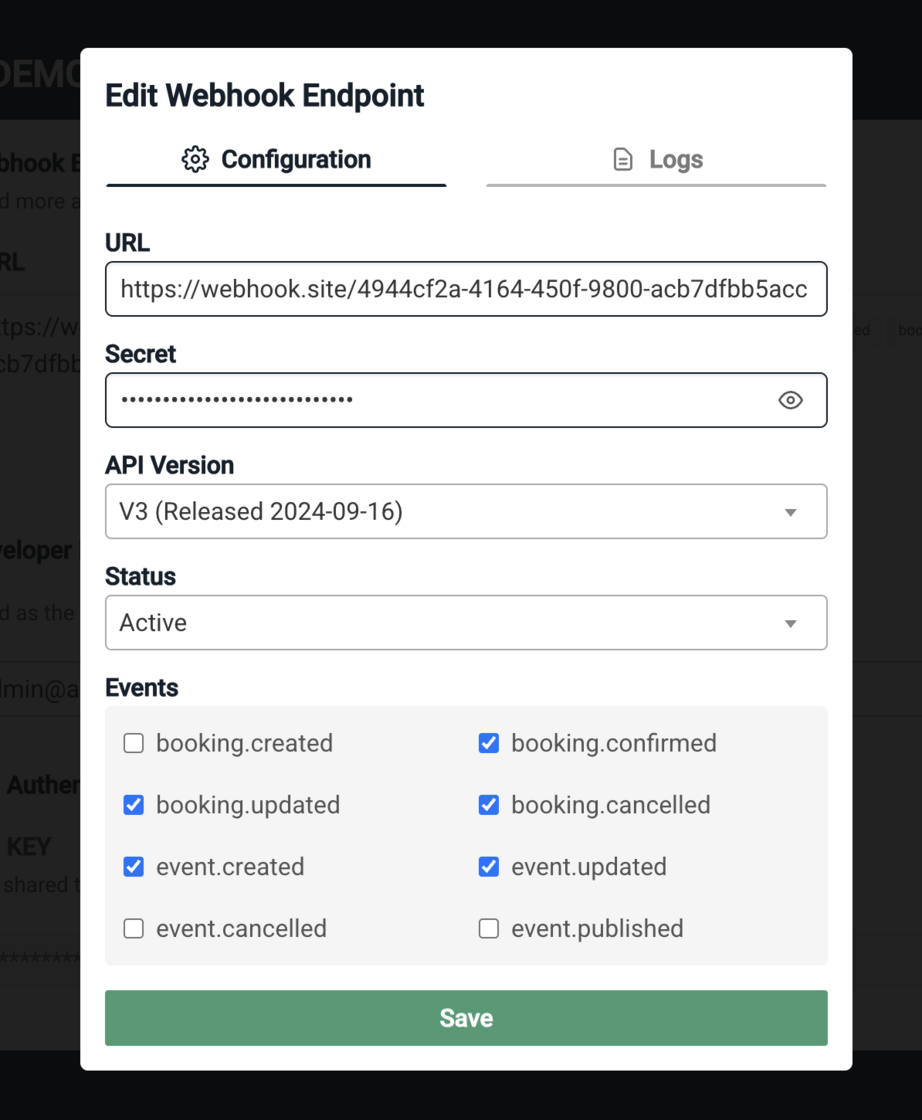
Our webhook interface has gone a significant improvement over the last two weeks. From the ‘developers’ tab under organisation settings you can now add your own webhook endpoints and modify what version of data you receive back, as well as select what kind of events you’d like to be notified for. This new interface also allows for the ability to put endpoints on ‘inactive’ or ‘active’ status based on your use case.
From a data perspective, the major modifications have been the unification of data output between our API and our webhook events and keeping up to 6 months of webhook events on file. We allow users to now select which version of data they want to receive back from a webhook event and matches the output of our API endpoints so there is a single source of truth for data as can be found in our docs (https://docs.artsvp.com/)..) As a note, the old version of data that was returned with webhook events is still available and will be available until the end of May, this should give you appropriate time to upgrade to the latest API version of data which is V3.
Organisation Index Pages
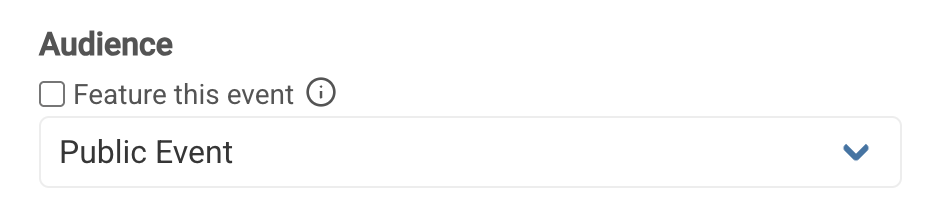
Organisation Index pages are now available for everyone under their custom subdomain. On this index page you have the ability to feature events you’d like to be showcased for your organisation. To enable this feature, when selecting the Audience for your event, make sure to select “Feature This Event”
Improved
You can now filter any bookings page by “Extras”. Perfect for when you need to quickly grab a list of people to hand out products for at the door or upon entrance.
Fix the licensing issue experienced by users trying to utilize the CSV upload functionality.
Further sanitize and strip any script tags or emails from booking name fields in order to avoid spammy bookings on public events.
Add ability to clear search by deleting text in the search bar input and clicking enter to reset the page to it’s initial state.
The Collection Overview page has been restored for users.
Additional attributes for Check Ins report have been including “Invite Code”, “Invite Source”, and “Booking Link”
Fixed
##
Fix booking link tag functionality when editing or removing tags from info details, allows removal of all tags successfully.
Add a message to alert the user that the current password is required when updating their account. Does not apply when Google Oauth is the provider or for enabling/disabling 2FA.
Invite status bug resolved for all invite views.
Bug fix related to saving organisation details when the TOS or support email are empty.
Tax bug resolved with tax showing up even when set to 0%
Booking Link creation bug fix related to unique slugs
Introducing Two Factor Authentication
New
We’ve implemented Two Factor Authentication (2FA) with an Authenticator app across accounts, allowing users to secure their account access and data with 2FA. To use 2FA, go to your ‘Account’ Settings click ‘Enable 2FA’. Please make sure to note, if you are using this feature, it is important to record your back up codes to make sure you have continued access to your account in the case of losing access to your Authenticator app.
Improved
Improve styling on longer booking links displayed in modal windows such that they are truncated visually for a cleaner look.
Fixed
Fix bug that prevented the correct implementation of timezone when filtering, by expanding then number of timezones available to select from and allowing users to modify this more broadly.
Removed all legacy code for event blockers. RIP to one of our favourite first features.
Enhanced Notifications, Better Formatting, and Reliable Contact Uploads
Improved
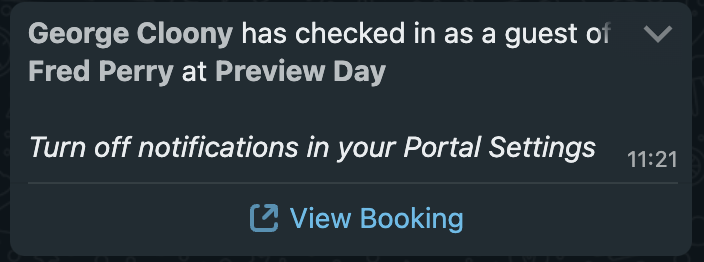
Improvement to Whatsapp portal notification templates. Now complete with a large 'View Booking' button
Ensure personalisation text in templates is formatted correctly to prevent misreading important customer customization data (e.g. {{name}} to be lower case). Adds styling to make it obvious that a user has created a variable in their template by changing the style dynamically to appear as a tag.
We’ve improved our onboarding process to allow you to book in your own intro calls to make sure you’re set up for your fair Art Fair with us. If you’ve joined recently and haven’t set up an onboarding call with us please do so here.
We now permit some modifications on how Apple Wallet and Google Wallet passes are displayed to customers, including what is displayed at the top of the pass, and how the location and time are presented. Get in touch for details.
Fixed
Ensure contact lists are uploaded correctly and allow for any existing contacts (at time of upload) to also get added.
Fix placement of Customer Support Chat in mobile view so it no longer covers up the navbar.
Enhanced Tracking & Clarity
This week’s updates refine how invites and bookings are tracked, ensuring greater clarity and consistency across the platform. From improved portal visibility to streamlined invite data, these enhancements make managing guest lists more intuitive and reliable.
Improved
Invite send counts now display even if they’ve been declined
Portal owners now have greater clarity that their invite data is NOT shared with Art Fairs until a booking is made.
Whatsapp Notifications now have an improved structure
Portal Invites will now remain on the page even after bookings have been made.
Dashboard Invite Count now includes both the number of portal invites and organisation invites, hover over the Invite card at the top for a breakdown
Portal Bookings now have direct access to the invite that was used to generate the booking.
Fixed
Small bug fix providing more clarity on invite logs for bookings
Contact booking counts and invite counts have now been re-synced between what you see on the main page and what you view for an individual contact
Any wildcard characters attempted to be uploaded via CSV are now flagged
Whatsapp Notifications and more!
This week, we’re excited to roll out Portal WhatsApp notifications for guest check-ins, improved payments for waitlist booking and key security updates. Plus, we've tackled some pesky bugs to keep things running smoothly!
New
Portal Whatsapp Notifications 💬
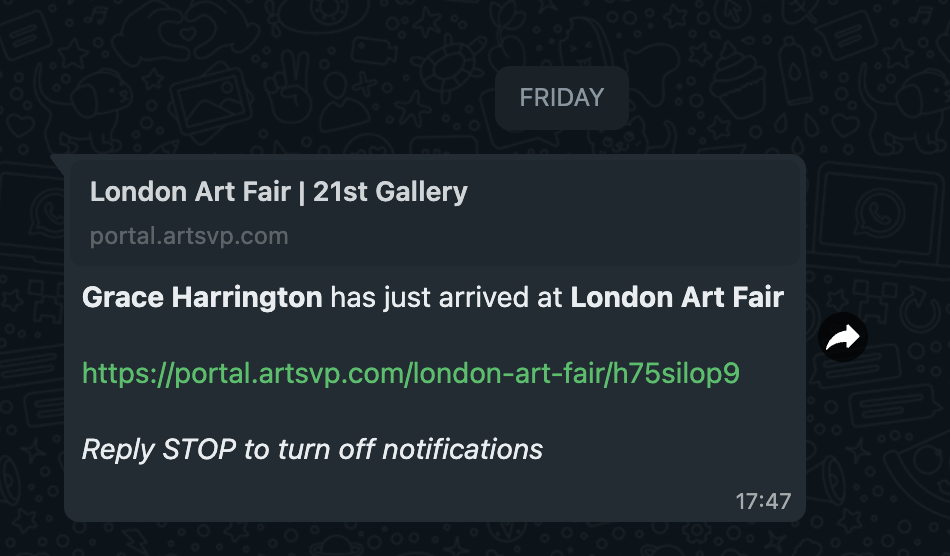
As we all know, the art world runs on WhatsApp—whether you’re exhibiting in London, hanging portraits in Marrakesh, or closing deals in Dallas. To seamlessly integrate ARTSVP into your existing workflow, we’re launching ARTSVP WhatsApp Notifications (starting with Portals!), ensuring you stay effortlessly up to date.
Enable this feature today so your exhibitors can receive real-time WhatsApp alerts when their VIPs walk through the door.
New
Accept Payments for Waitlist / Register Interest Bookings
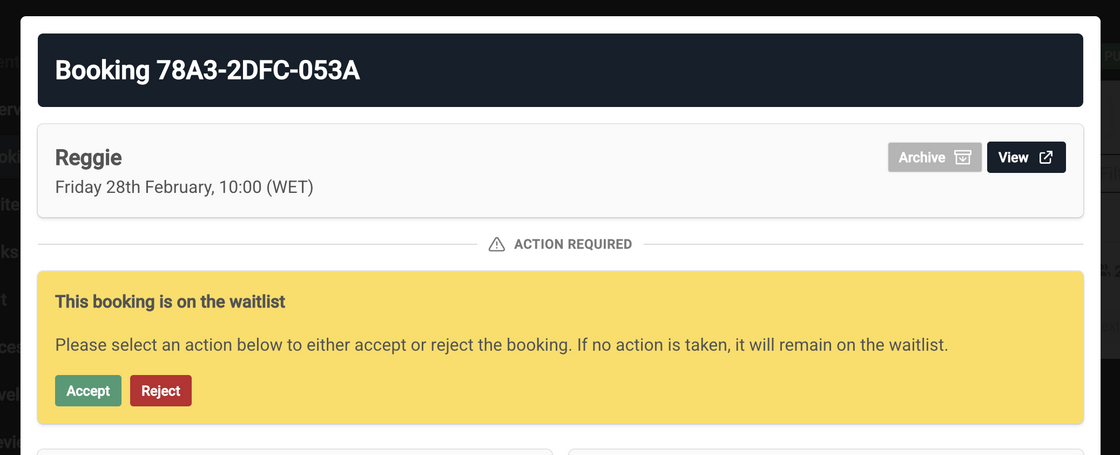
WiWith both Waitlist and Register Interest, you have the ability to manually accept or reject a booking. When rejecting a booking, you can choose to notify the user via email or reject it silently.
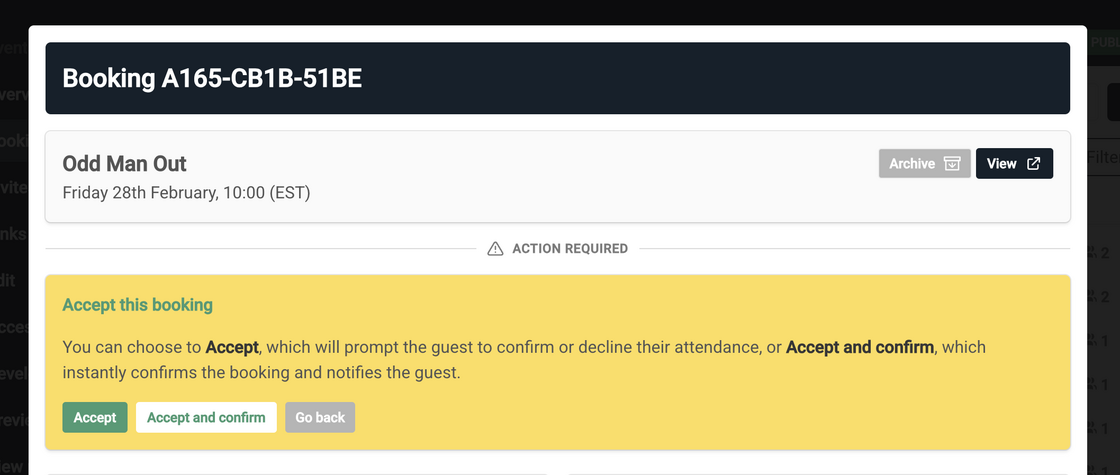
When you Accept a booking, you now have two options:
Accept: Send an email to the user, prompting them to confirm their attendance and complete any necessary payments.
Accept & Confirm: Instantly confirm the booking, regardless of whether a payment is required.
Improved
Improved Search Sorting - Previously, search results were sorted by relevance, which sometimes led to confusion about the order of bookings. Now, bookings are consistently ordered by time and name, even when searching, ensuring a more intuitive and predictable experience.
Fixed
Small Copy changes - Updates instructions on check-in only roles
Space order - Ordering Spaces by the date in which they were created
Security on max bookings - Ensuring max guests per booking was always enforced, even with the Waitlist
Credit Notifications and a light clean up
Hello everyone 😊 We are mid-sprint with some big exciting updates coming your way including payment processing for waitlist and register-interest bookings and exhibitor portal sms notifications 😮 You can expect to play around with these soon but for now, here are some small updates to keep us ticking along.
Improved
Low Portal & Invite Credit Notifications: When accounts now go below 50 invite credits or 5 portal credits the associated billing email will be notified to top up the account making sure your events aren’t emptied at critical moments.
Negative Portal & Invite Credit Allowances: New functionality has been adopted allowing organisations to dip into negative portal and invite credits. Any negative credits at the end of the month will be invoiced to the organisation on a PAYG rate. This functionality will be enabled on an a per request basis (email us to request access)
Cleaner Interface: We’ve removed outdated labels and banners (like the “NEW” tag and layout banners) to provide a cleaner and more streamlined experience when navigating events and collections.
Enhanced Stability: We’ve locked down key dependencies to ensure a more stable and reliable platform for all users.
Check-in Only Clarification: Information has been provided on all pages where members can be added to teams and events clarifying the role of “check-in only”
Fixed
Improved Invitation Links: The decline link within email invitations has been updated for clarity and to avoid email clients auto-declining. It now directs you to the invite page with updated text: “Please click here to mark yourself as not attending.”
Date Range Filter Fix: The date range filter on the all bookings view now automatically submits when you make a change, making it easier to filter and find the bookings you need.
Invite Deletion Bug: An invite deletion bug has been resolved that caused some portal invites to not be deletable.
Event Templates, Security & Usability
We're kicking off the first month of the year with a long-awaited feature request and, as always, continuous improvements to your in-app experience. Check out the changes below 😊
New
Create Events from Templates
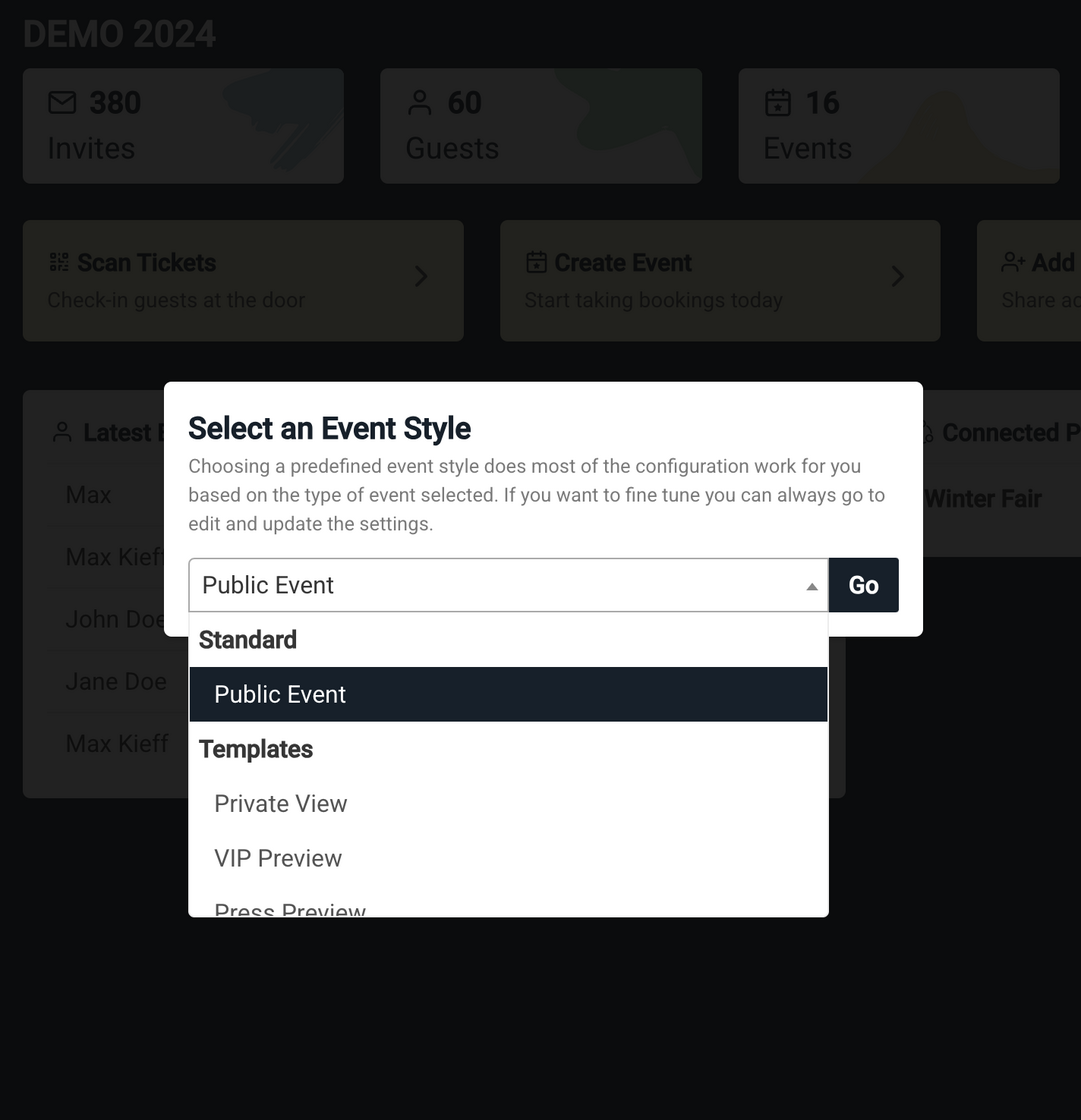
Creating events is now faster with new preconfigured templates. To stick with your usual process, select “Public Event” under the “Standard” category. To try the new templates, pick one that fits your event type, add a few details, and you’re good to go! Templates include pre-set options like email settings and capacity, saving you time. Need changes? Everything is still fully customizable in the “Edit” section. Have template ideas? Let us know!
.
Improved Usability
Forgot Password on Sign-In: Added a "Forgot Password" option to the account sign-in portal, allowing users to conveniently reset their passwords and regain access to their accounts.
Developer Email Updates: Introduced a feature to update and change the developer email for an organization. This update ensures the correct email is used for webhook communication and provides seamless handling of developer email changes via the organization controller.
Improved
Spaces Ordering by Creation Date: Spaces are now displayed in the order of their creation date instead of alphabetically, providing a more intuitive and chronological layout.
Content Security Policy Updates: Enhanced CSP headers by restricting embedding to certain organizations where needed and in-app only, with upgraded frame-ancestors and X-Frame headers for improved security.
Accurate Event Name Display: Resolved ampersand rendering issues in event names to display & correctly instead of &.
Fixed
Booking Row CSS Bug: The alignment of the All Bookings search bar when scrolling was offset and causing inconsistent behaviour. This has been addressed for all accounts.
Notification Email Reduction: Removed the third failure attempt email from failed webhook deliveries to reduce inbox stress for developers.
Guest x Product Bug: Instances of multi and single entry tickets not correctly being assigned to the correct guests have now been resolved.
New Year, Enhanced Platform: Security, Reliability, and Usability Updates
As we step into the new year, we're focused on making our platform more secure, efficient, and user-friendly while laying the groundwork for exciting developments ahead. This update includes critical fixes and enhancements to improve your experience. Stay tuned—there's much more to come!
Improved
Quick Download Feedback:
Improved user experience when downloading booking data by introducing a "Processing" message before the "Downloading" message. This feature helps prevent double clicks and provides clearer feedback during the process.
Fixed
Security Enhancement: Resolved a potential injection vulnerability in the booking name field by adding a character limit and ensuring the field cannot contain URLs.
Webhook Reliability: Fixed webhook reliability issues by automatically deactivating webhooks after 10 consecutive failed events, reducing unnecessary retries and improving system stability.
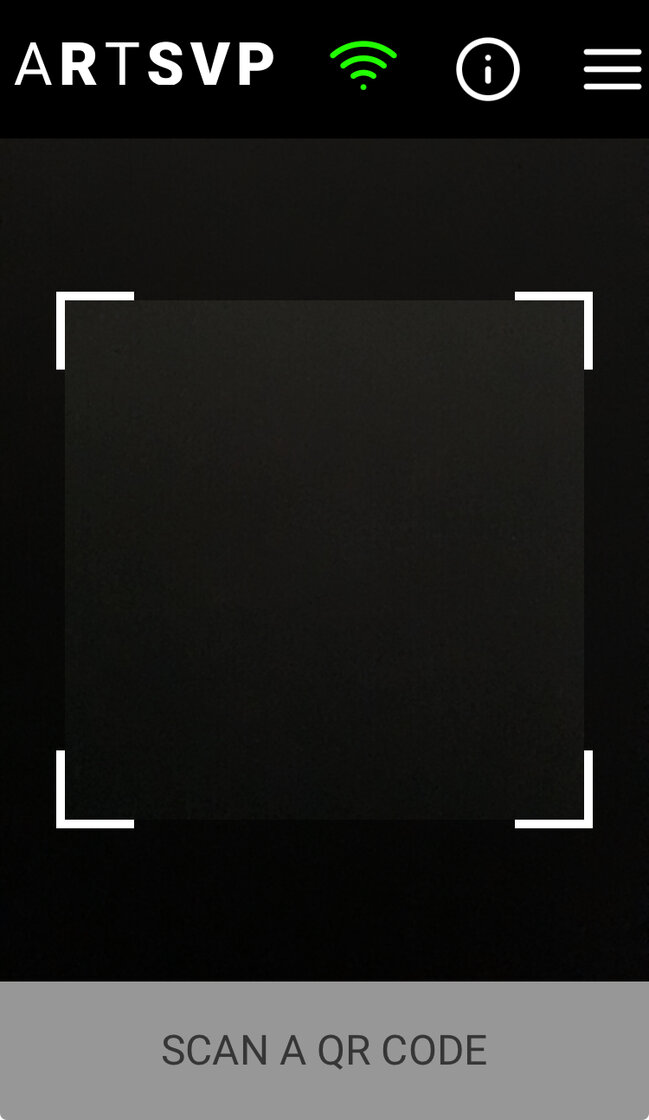
Enhanced Scanner: Introducing a new scanner that works faster, operates offline, offers a simplified user experience, and is built for reliability in every scenario.
Improved
Streamlined Admin Invites: Minor tweaks ensure admins won't be overwhelmed with unnecessary invite emails, keeping things efficient and clutter-free.
Fixed
Portal Login Issue Resolved: Squashed a pesky bug that was preventing some users from logging into portals. Smooth access restored!