This update brings key improvements to booking link functionality and the mobile experience for collections, reducing overuse and enhancing usability on small screens. Fixes address missing links on the Archived Events page, accurate booking link counts, and improved event configuration reliability. Admin notifications are also streamlined to cut down on email volume.
Improved
Enhanced Booking Link functionality to prevent excessive usage and improve reliability.
Improved mobile user experience for collections, making the interface more user-friendly and accessible on smaller screens.
Reduced the frequency of admin notification emails, lowering inbox clutter.
Fixed
Resolved an issue on the Archived Events page where certain links were missing.
Corrected booking link counts displayed on the booking link index page to ensure accuracy.
Addressed an issue with advanced configuration for events to improve consistency and reliability.
Fixed a bug in collection invites download to ensure downloads function as expected.
Fall Tidy
As we moved back our clocks the past few weeks across the world and got ready for the shorter days Fall brings, here at ARTSVP we've been busy tidying up and improving our app to kick off 2025 in a big way with some major upgrades coming to end the way.
Improved
Improved mobile user experience for the All Bookings view
Drastically improve event booking load times and all booking load times
Loading time improvement for events view, and introduced pagination to better organise your "Events" view
Improved Invite email UX
Dashboard speed updates for both invite counts and latest bookings load
Oauth tracking
Oauth now available for portals
Updated privacy policy
Improved location UX on confirmation page and ticket page
Max bookings now available on booking link creation
Invite allocations can now be deleted for portals
Unique booking capabilities now available for bookings that are "Register Interest" or "Waitlist"
Fixed
Fix translation bugs across languages
Fix API Invites endpoint bugs
Need for Speed
We’re excited to announce some powerful updates to Artsvp that will make your experience faster, smoother, and more efficient! From enhanced CSV handling to blazing-fast search improvements, we've fine-tuned the platform to better meet your needs. By streamlining key processes and moving tasks to the background, you'll notice a major boost in speed and ease of use. Dive into the details below and see how these changes can supercharge your workflow!
New
You've been asking, so we've added support for transforming some data like first name & last name fields into the required name column in CSV uploads, making data import more flexible and user-friendly.
We've also improved the system's ability to handle a wider variety of CSV file formats, ensuring smoother uploads and fewer errors during import.
Happy uploading!
Improved
Finding the right guest can be a challenge, so we have worked tirelessly to optimize the search functionality for faster and more responsive results, delivering a better user experience, especially for large datasets.
Fixed
Key tasks, such as CSV parsing and data processing, have been moved to background jobs. This significantly reduces wait times for users, allowing them to continue working without interruption while tasks are handled asynchronously in the background.
These updates aim to improve efficiency, making Artsvp more powerful and seamless for managing your events.
New Filters and Fixes
This week we've been focusing primarily on app speed with some improvements looking to be live next week. Alongside this we've pushed up a few updates to filters and some minor bug fixes.
New
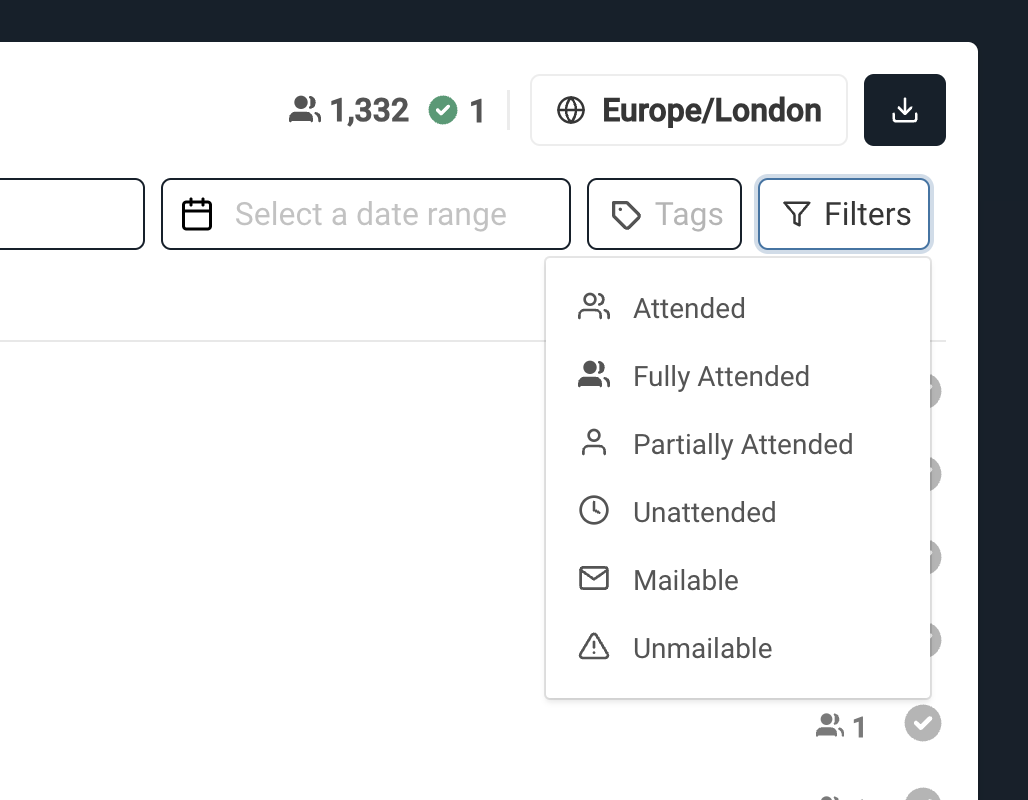
Booking Filters
We've added the ability to filter your bookings further in the All Bookings view as well as the Event and Collection booking views
Improved
All Bookings - Organisation members only
We were seeing too much confusion around All Bookings for those who were members of Events or Collections. The bookings were automatically filtered based on your membership. We have decided to simplify this and made the All Bookings view to be accessible only to those who are Organisation members.
Event and Collection members will need to navigate to the specific resource to view and manage the bookings.
Fixed
A few errors on when people cancelled their bookings, not being able to use the invite again - resolved.
Uploading bookings with blank emails no longer causes errors
Time formatting in the url when selecting slots was having some inconsistencies - resolved.
More Accessibility and Stability
This week we pushed in more changes that will make your experience at ARTSVP more accessible and stabile. As we're gearing up for a big UX sprint coming up we hope these help improve your experience with ARTSVP.
New
OAuth
We've added the ability for users to integrate their gmail accounts with their existing accounts or simply use them to generate new accounts via OAuth. The sign in process is made simple through a simple GMail account authentication and you're on your way to using ARTSVP. No more having to remember long complex passwords!
Improved
Ensuring Better Email Deliverability - To help ensure better email deliverability we've introduce a form of throttling on all of our batch email sends (invites, portals, and booking cancellations). We've done this to make sure email providers don't view those emails as spam or promotional, and so that your emails always make it to their intended receiver.
Modifying Time Zones Made Simple - Modifying time zones now simply involve making a change on the event and watching as any bookings that were made with the mistaken time zone be resolved. These time zones will now no longer be associated with locations, but instead with the event itself making management much simpler.
Fixed
Additional SQL injection protection
Locations update reroute bug fix
CSS Updates for email banners
QR Code sanitization
Fix for booking info window to ensure functionality
Additional information icons added to event cards
Bullet Proofing Scanning: Major Enhancements & Fixes!
We're excited to roll out a series of powerful updates aimed at enhancing your scanning experience and overall app performance! This release focuses on improving user flows, fixing discrepancies, and boosting speed across key features. With a redesigned scanner interface, new guest management options, and faster tag list interactions, managing bookings and events has never been easier. Check out the full details below!
New
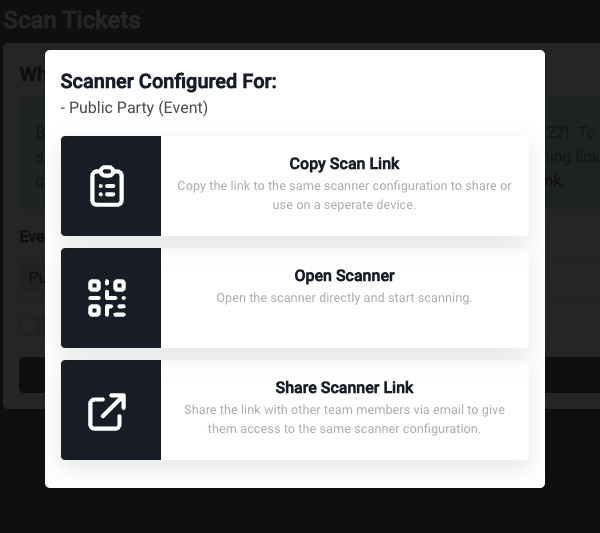
Scanner Configuration Modal: A new modal has been added to the scanner configuration, giving you the ability to easily share, copy links, or open the scanner directly.
Scanner Flow Revamp: Created a new flow for configuring the scanner, allowing users to clearly indicate which event, collection or space the scanner is being set up for.
Edit Guests After Booking: You can now modify guest details after a booking is made, thanks to an update in the booking flow. Visit the Advanced settings when editing an event and check the Edit Guests After Bookings checkbox so guests can enter guest details after completing a booking, regardless of whether you have enabled tickets or not.
Improved
Image Uploads & UX Redesign: We redesigned the user experience with a focus on improving image uploads and streamlining the overall interface. You should notice more customizability and faster load times.
Highlighted Booking Info: Enhanced visibility of booking time and date information, making it easier for you to spot crucial details when checking in guests.
Speed Boost on Tags: Dramatically improved the speed of app interactions with tagging, ensuring smoother navigation and responsiveness overall.
Robust Testing: Introduced rigorous testing for multiple JavaScript actions, ensuring reliable and smooth integration. Sounds boring, but tests help us deliver a reliable experience for our users.
Fixed
Guest Count Discrepancy: We've fixed issues causing mismatched guest counts between the "All Bookings" page and the Dashboard. Things should make a bit more sense now, even if they were not wrong before.
Faster Queries: Optimized scanner speed and queries for a snappier, more efficient experience.
Our Largest Changelog Yet!
At ARTSVP we've been busy the past month building features, improving our UX, and making our app more durable as we continue to scale and grow. To that end we've been lagging a bit with our changelog the past few weeks so get ready for our largest changelog to date!
New
Taxes on Products
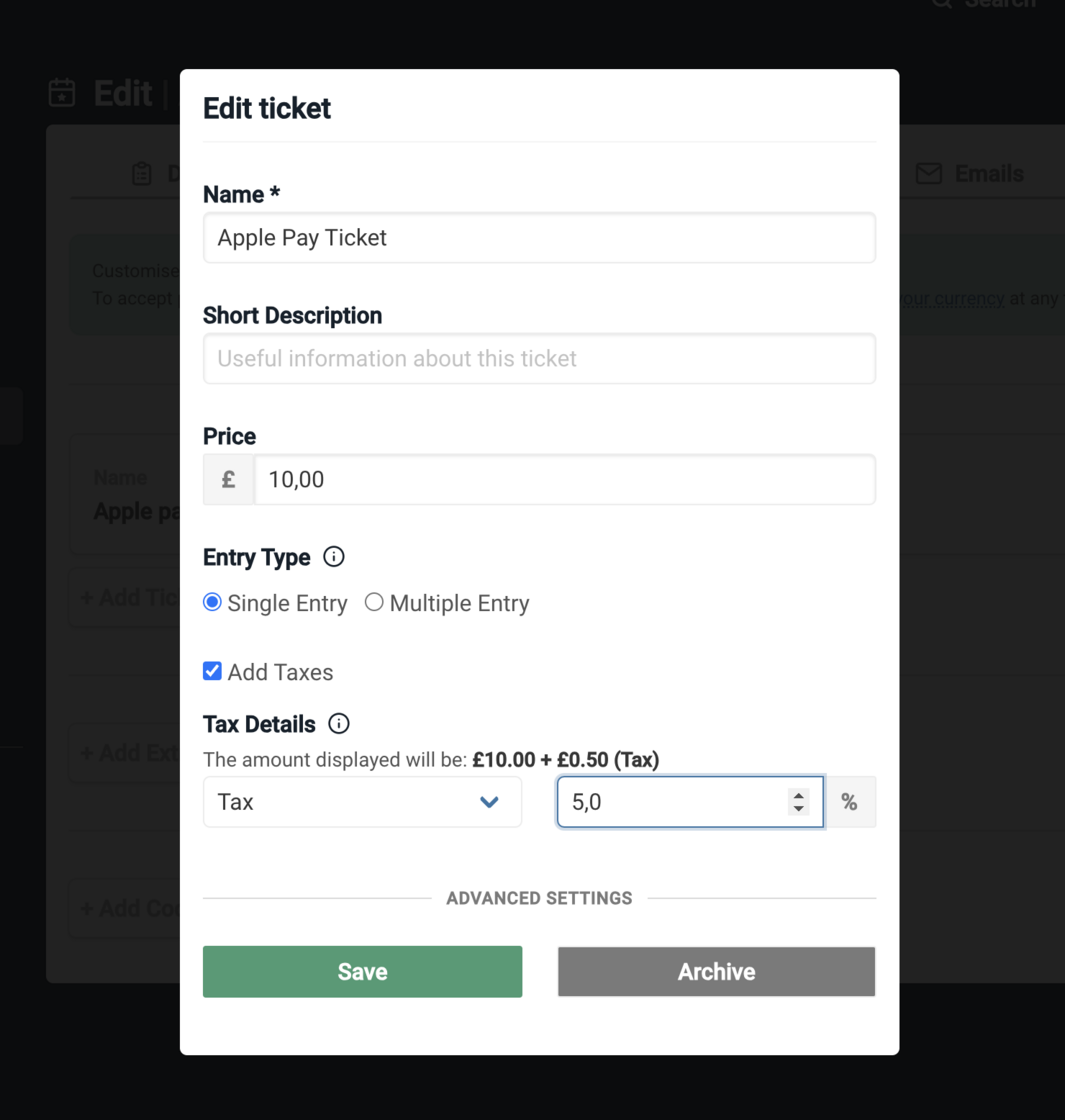
Adding different types of taxes to products are now available. From either the event creation page or the event edit page, you can now add different taxes for each product. These tax types include (Tax, VAT, Sales Tax, State Tax) and if you have any other additional types you need please reach out.
Once these taxes are configured for each one of your products individually, the handling of tax calculation and aggregation will be handled by us and displayed to users as a simple aggregated line item for each type of tax.
UX Refresh for Event Configuration and Edit Pages
Hopefully by now you'll have noticed our refreshed event edit pages. We've done our best to streamline the event creation process so you can spend less time behind the computer with logistics and more time meeting with your galleries and clients. Almost all previous functionality has been preserved but presented in a much more intuitive format that allows for event configuration in seconds as opposed to minutes.
Larger Batch Email Sends
As we scale and grow we're always learning about the new and interesting ways our clients are using ARTSVP. As an example, when we first created invites, we'd never have imagined people would want to send upwards of 10,000 invites all in one batch, but now we're seeing 20,000 or even 30,000 sent simultaneously! To help make sure this process works as efficiently as possible we've made great strides in being able to handle that many invite sends at scale and we hope you notice the speed differences now across the app.
API V3 / Sunsetting API V1
The time had to eventually come when we'd say goodbye to our API V1 and move on to greener pastures. To that end, we've just launched our API V3. This new API won't see the addition of more endpoints, but massive upgrades to our security practices and protection against malicious actors. Look out for V3 in our API docs and make sure to understand our new security practices as you transition over from V2 to V3. As a note, V2 will still be available for all users for the foreseeable future, but we recommend moving up as we will aim to sunset V2 in the next 6 months.
Improved
Product form validation improvements
Refactored API endpoints, improved API testing infrastructure
Remove “Contact venue” information from booking emails
Admins can turn off 'de-duplication' of invites for portals, allowing each portal to manage their own RSVP with respective clients
Improve page load speed for multi slot events
Security updates for image uploads
Improve app bandwidth to handle concurrent requests
Added protections against long running requests
Protect against additional file probing
Improved adding contacts to list, can handle larger amounts of records
Adv Settings now on all WYSIWYG
Remove reference name when duplicate events
Fixed
Collections mobile view updates
Invite creation with tag bug fix
Duplicate booking display in activity log bug fix for portals
500 error bug fixes for unauthenticated page visits
Fix datatime bugs
Fix payment page bug
Fix duplicate bug for missing availability
Fixed Blank Subjects for portal emails
Fixed Confirmation URL Params bug
Fixed adding team members bug
Collections / Events overview if no availability bug fixed
Events Edit page bug fixed if no availability
Event save redirect bug fixed
Image cropping quality bug fixed
Improved Security, Stripe OAuth, and a Fresh Email Look
This past week has been all about UX and security!
New
Refreshed Email Templates
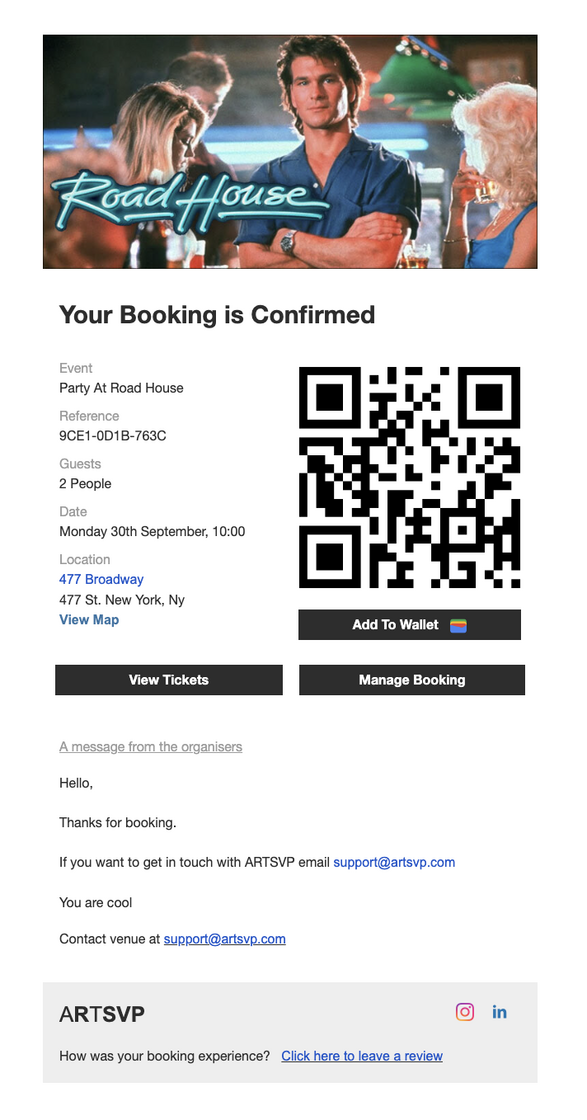
These past few weeks we've dedicated ourselves to improving the UX of our app. From refreshed dashboards and improved flows, all the way to cleaner and more elegant emails. This week your users may notice the new design of all emails related to bookings (confirmations, cancellations, updates, reminders, and rejections).
We've prioritised our designs to be simple, elegant, and fit for function. See the example below:
Hardened Team Security and Application Posture
Security of our customer's data is of the utmost importance for us at ARTSVP so this week we've gone even further in securing not only our application practices but also our team security practices as a whole.
Improved
Added Stripe OAuth for connecting stripe accounts to your ARTSVP account
Event Managers now have greater control over Collections
Portal Invite emails can now be customised with a reply_to email
Fixed
Membership invite bug resolved between standard invites and links
Improved copy for register interest flow
Internal model refactoring
Portal Security, Mass Cancellations & Improved UI
There's been a lot going on behind the scenese recently with some big updates. Here's the juicy bits…
New
Improved Portal Security & Usability
While Portal Owner's have always had the ability to secure their data behind a password, the reality is that this password was shared with teams and often forgotten.
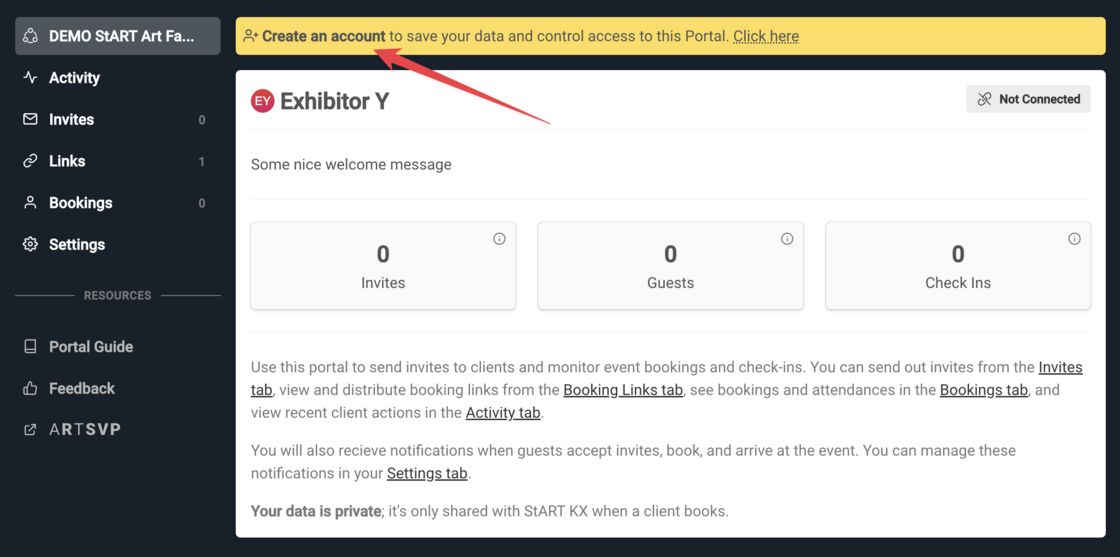
We have now given owner's the ability to link their Portal with an ARTSVP account to enable proper sign-in security and flexible team management for their Portal.
Looking forward - we'll be launching Verified Exhibitors to allow you to skip the Portal Invite process all together. Watch this space…
New
Cancellations made easy
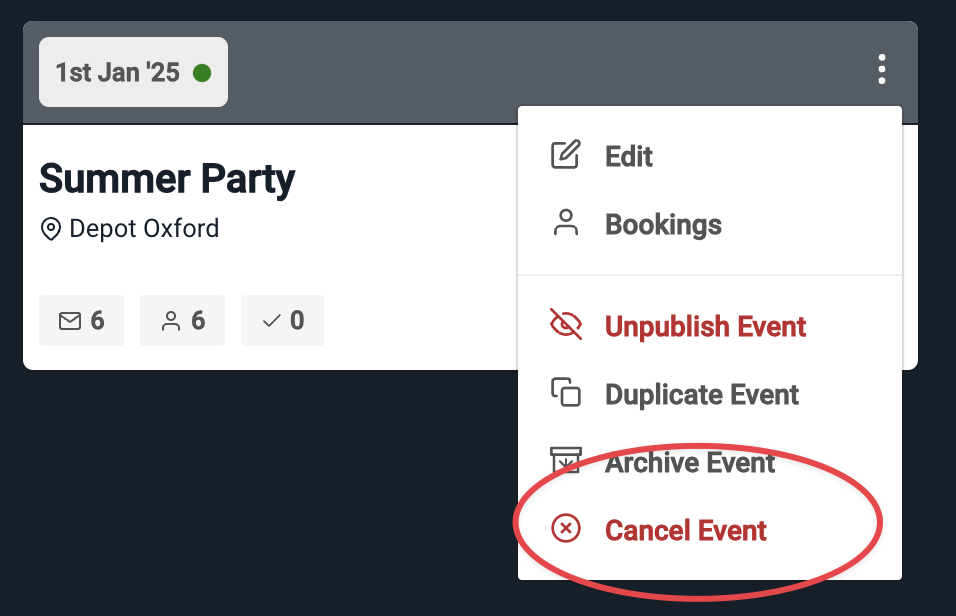
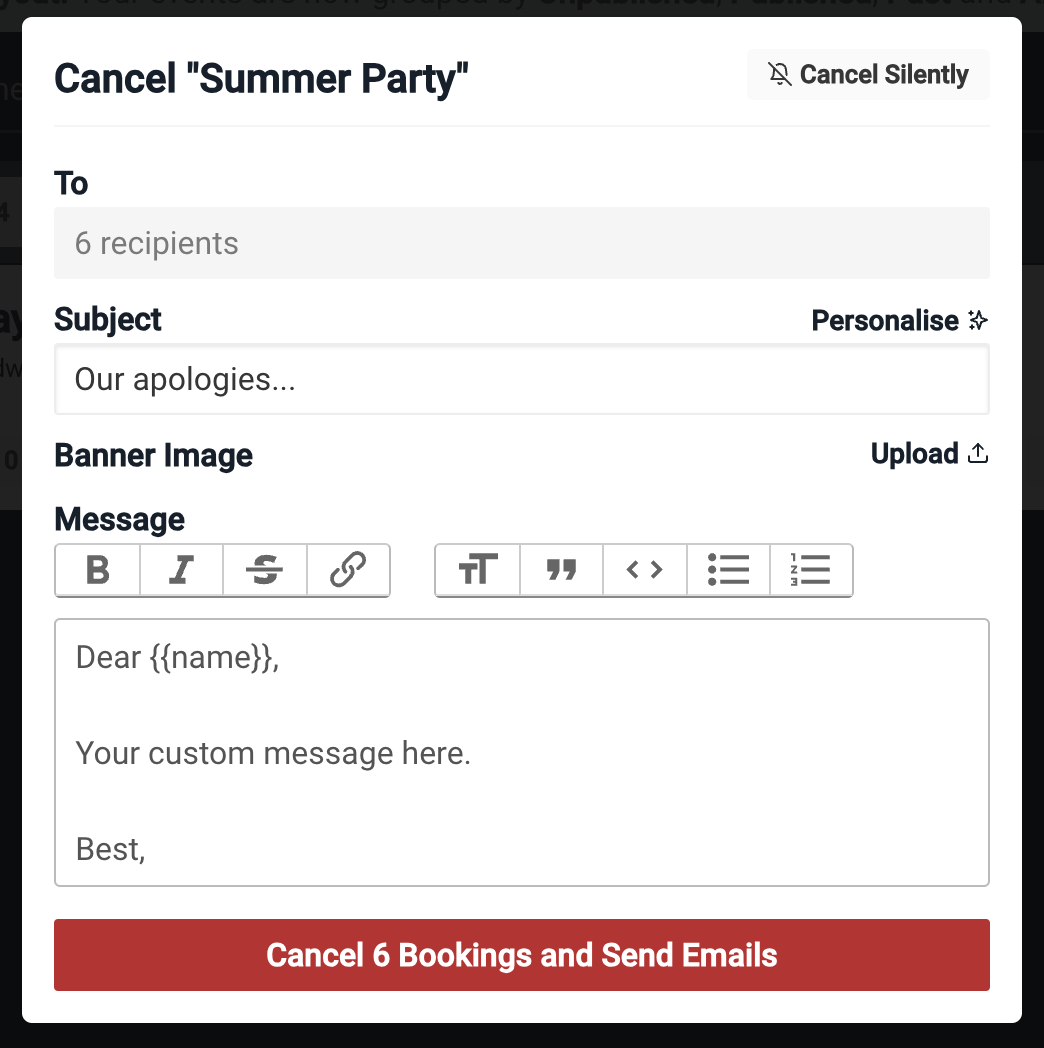
If you find yourself in the unfortunate position of having to cancel an event, we've made it easier to communicate the decision with your guests with a Event Cancellation feature.
When you cancel an event, you will have the option of sending an email to all confirmed guests with a custom message. If you would prefer, you can also cancel an event silently with no email notification. Cancellations will trigger an event to become Unpublished and all bookings will be marked as cancelled.
Improved
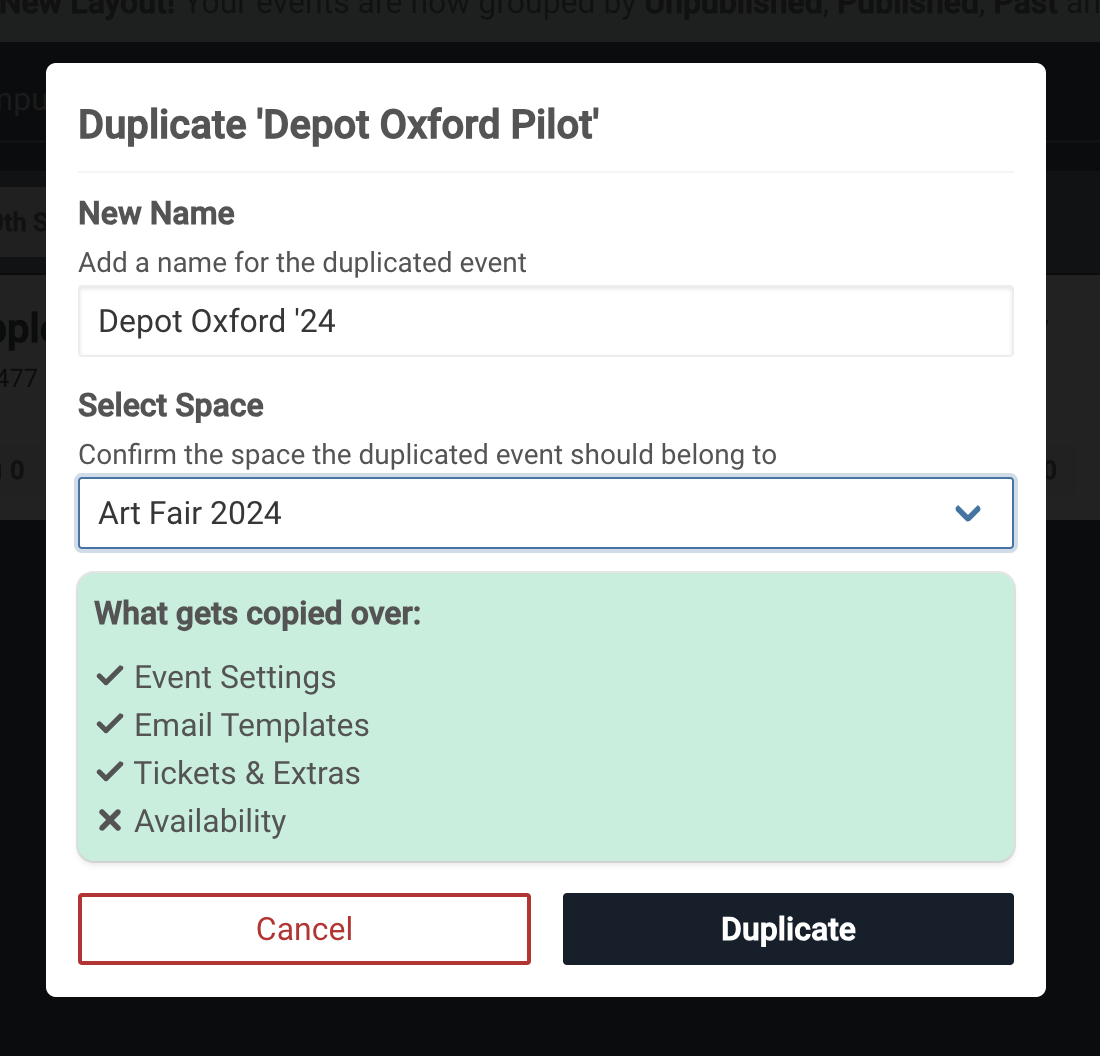
Duplicate Events UI
We have made improvements on the Duplicate Event feature, you can now select the Space you wish to duplicate, give it a new name and be review the settings that will be copied over.
Please Note: Duplicate Events now clear all availability settings so you will need to re-set the date and availability of your new event.
Improved
Portal Invites reply to email address is now fixed to Portal Notification email
You can now link existing Stripe accounts to your Organisation instead of creating a new one
Improved Error handeling on Event Form
Expanded Payment Options via Apple Pay
Improved
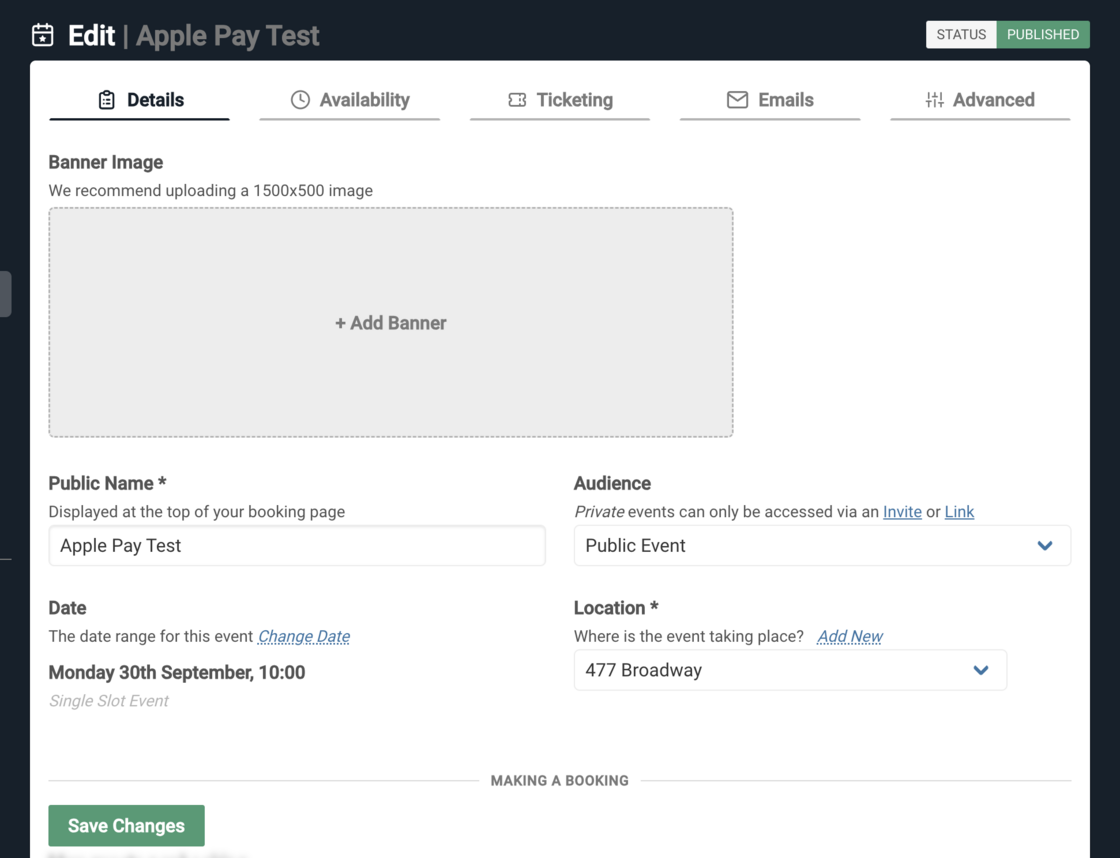
Apple Pay has been added as a payment option for those using iOS devices to make purchase on ARTSVP, if you'd like for your pages to be configured to accept Apple Pay, let us know.
Fixed
Tag bug related to CSV imports
Booking check in issues related to real time updates
Background jobs divided into additional queues for improved performance