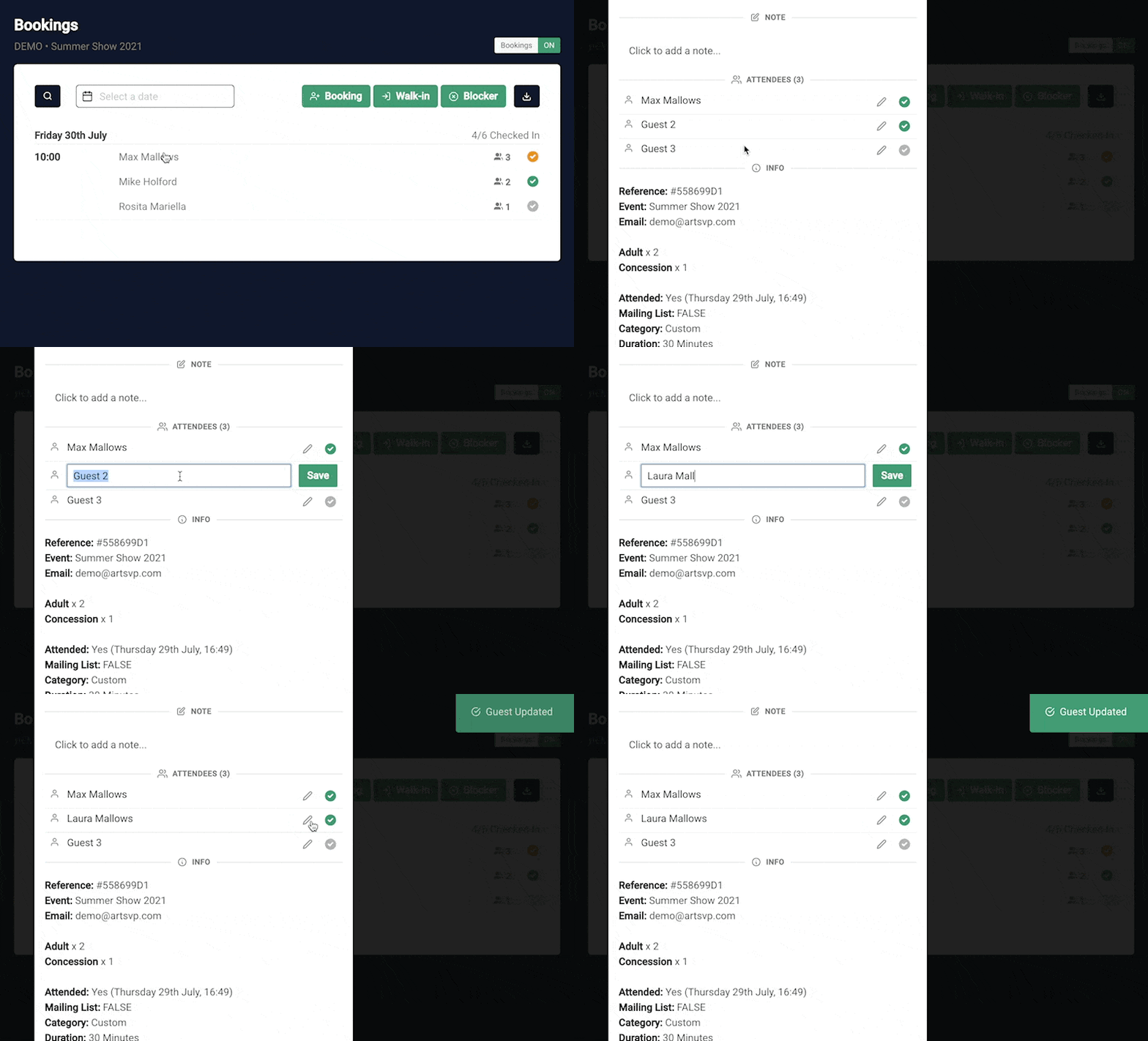
In order to aid front of house teams using iPads or mobile devices to check in guests we are excited to launch real time live check in.
This means that all devices will update automatically when a guest is checked in without the need to refresh the page.
⬆️ gif showing 1 browser automatically updating without refreshing
In addition to this live alerts will show when bookings are made.
NB. Remember to use partial check in if only part of a group arrive for accurate attendance tracking. To do this click on a booking and just check in the number of guests who have arrived.
Add/remove guests from bookings
New
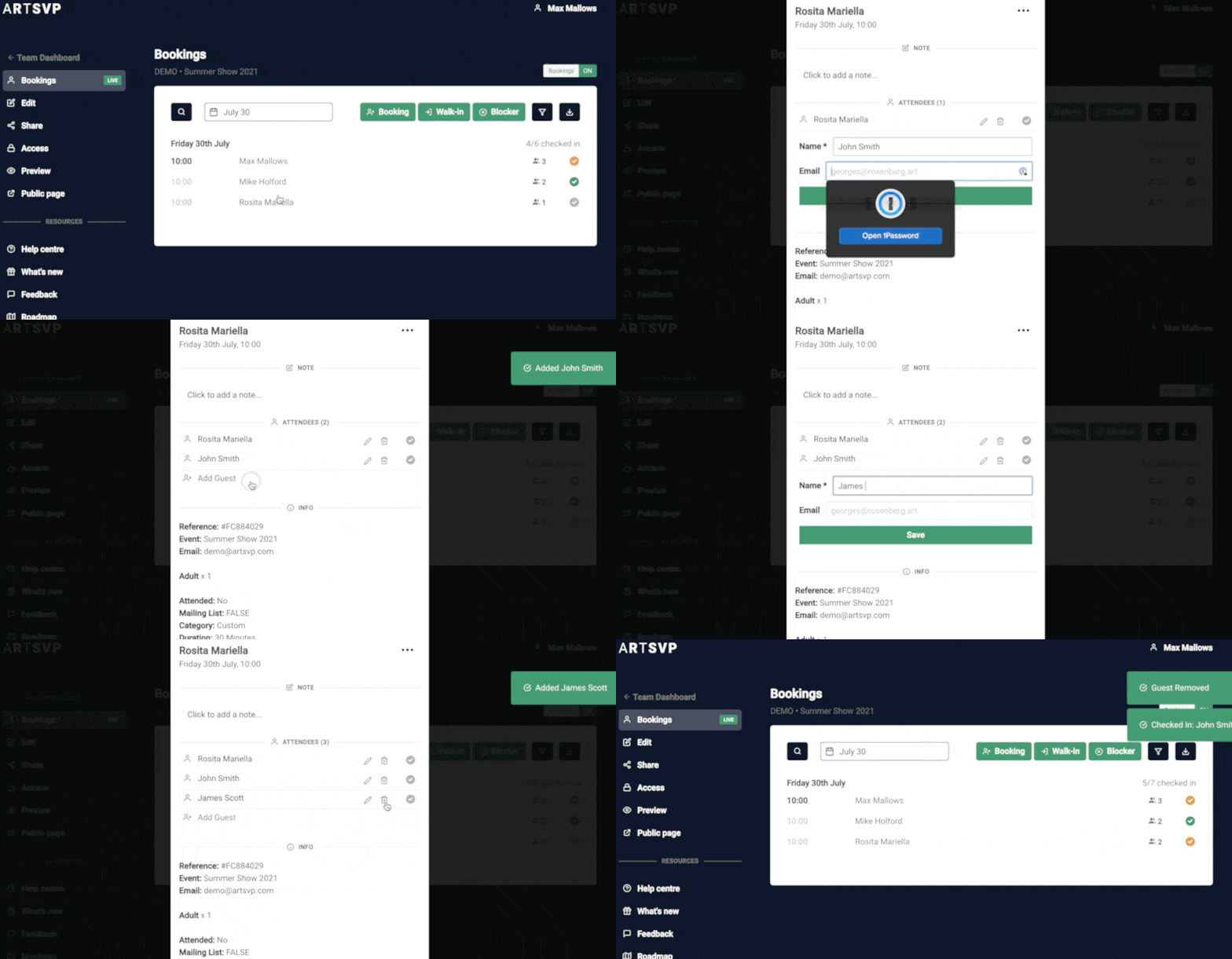
You can now add and remove guest from a booking. In addition you can add the email of the guests attending. This is a useful feature if you are capturing the details of all visitors on the door for either contact tracing or following up post event.
To add or remove guest from a booking simply click on the booking and add and remove guests at the top of the booking module.
Partial check-in and adding guest names
New
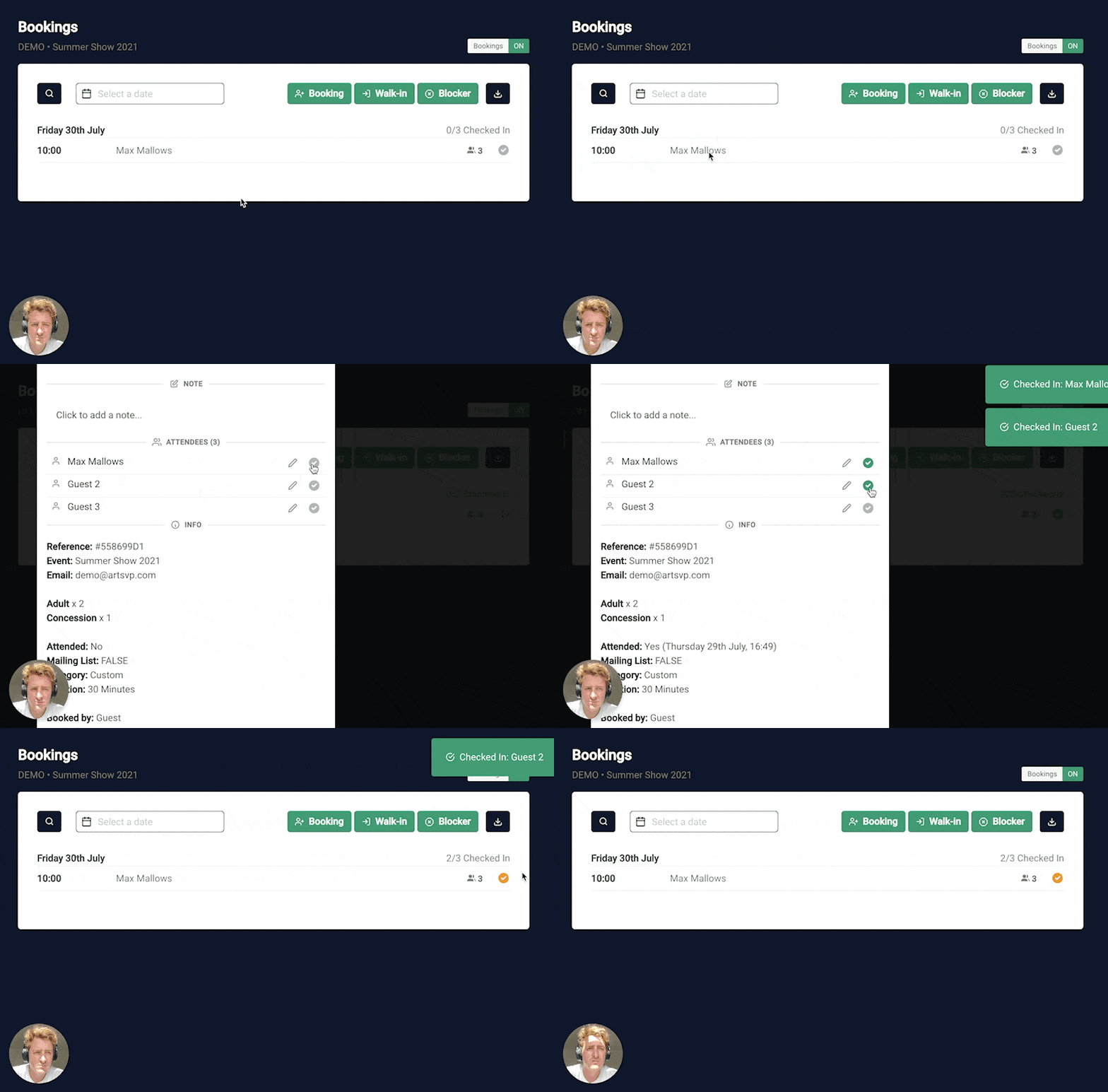
It is now possible to check in part of a booking.
Previously it was only possible to check in the whole booking upon arrival but now you can mark bookings as partially checked in when the whole group do not arrive at once or at all.
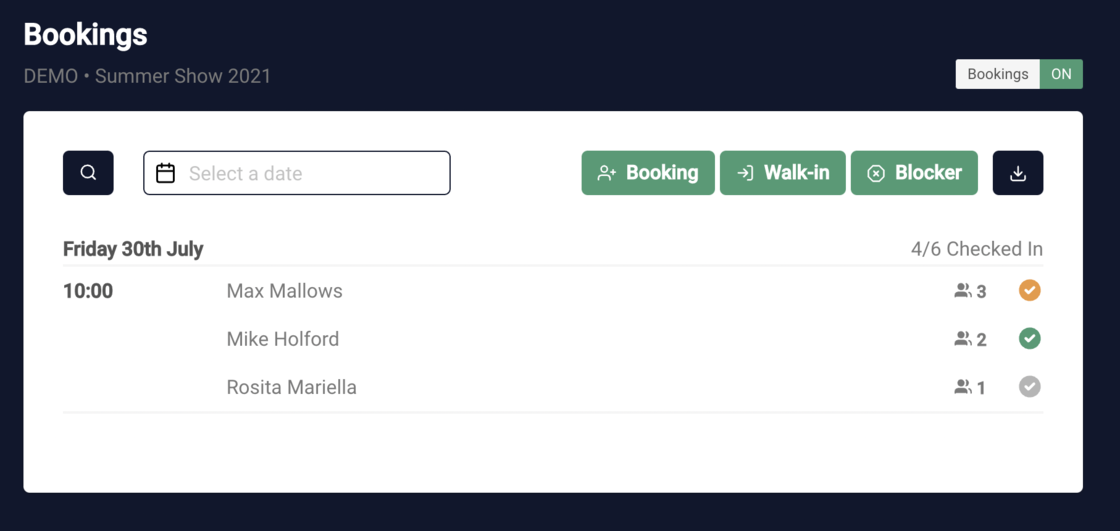
Fully checked in bookings are marked with a green tick. You can check a whole booking in (and out) directly on the bookings view by clicking the tick.
Partially checked in bookings are marked orange
Unchecked in bookings are marked grey
How to partially check in some guests on a booking
Partial check in lets you check in just the guests that have actually arrived. To do so simple click on a booking from the bookings view and then check in the number of guests that have arrived.
Preview the booking page
New
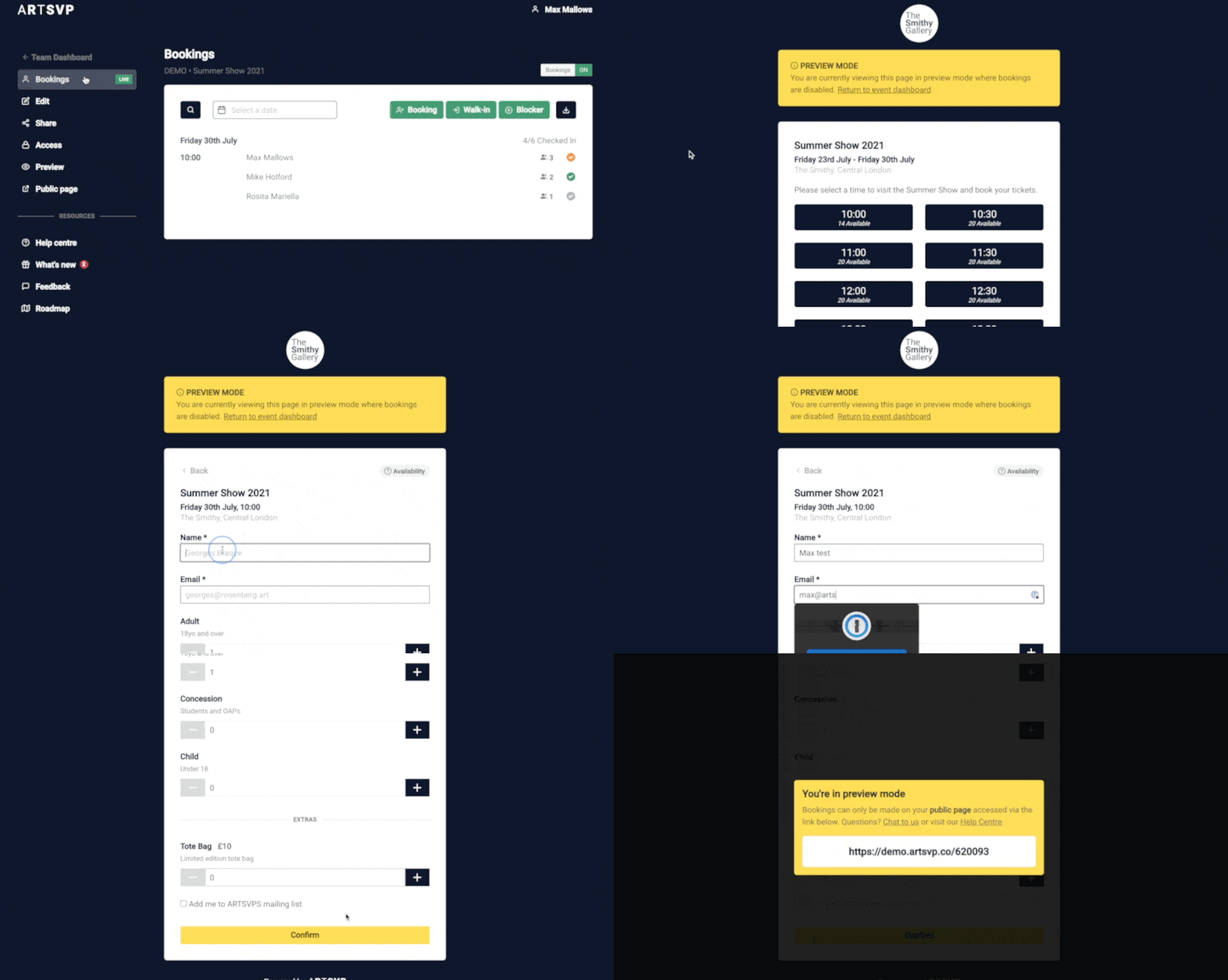
You can now preview the booking page to check how a page looks without being able to actually make a booking.
This feature helps you quickly see how a booking page looks even if you have bookings turned off.
Bookings can't be made from the preview view.
Adding names of guests to bookings
New
You can now add the names of guests directly to the bookings.
Simply click on a booking and click the edit icon next to the guest names.
Paid Tickets and Extras
We recently added the ability for ARTSVP clients to create their own paid tickets. We have worked hard to make the system simple and easy to create multiple ticket types. In addition you can also sell "Extras" such as tote bags, catalogues etc without effecting availability.
Creating Ticket Types
You can edit the name, description and price of tickets. You can also set a minimum and maximum quantity that each booking must include if necessary.
Adding Extras
Adding additional items that can be pre-paid for when booking can increase revenue and provide a sleek experience when a customer is already making a purchase.
Adding in extras is very similar to adding a ticket but they do not count towards availability.
Add admin notes to bookings
With a recent update all accounts can now add notes to their bookings and guest lists.
This feature is designed to help teams operate efficiently and delivery exceptional client service.
How it works
Any individual with an ARTSVP account and access to bookings on a specific event can add/edit the note attached to a booking. To do this simply click on a booking and add a note.
Any individual booking on the bookings view with a note attached is marked with a note icon to make it easy for the front of house team to quickly check notes when clients/visitors arrive.
Uses for notes
Letting front of house know of special requirements for certain clients.
Informing front of house which sales or clients liaison to get when certain clients arrive.
Marking special requests made by clients.
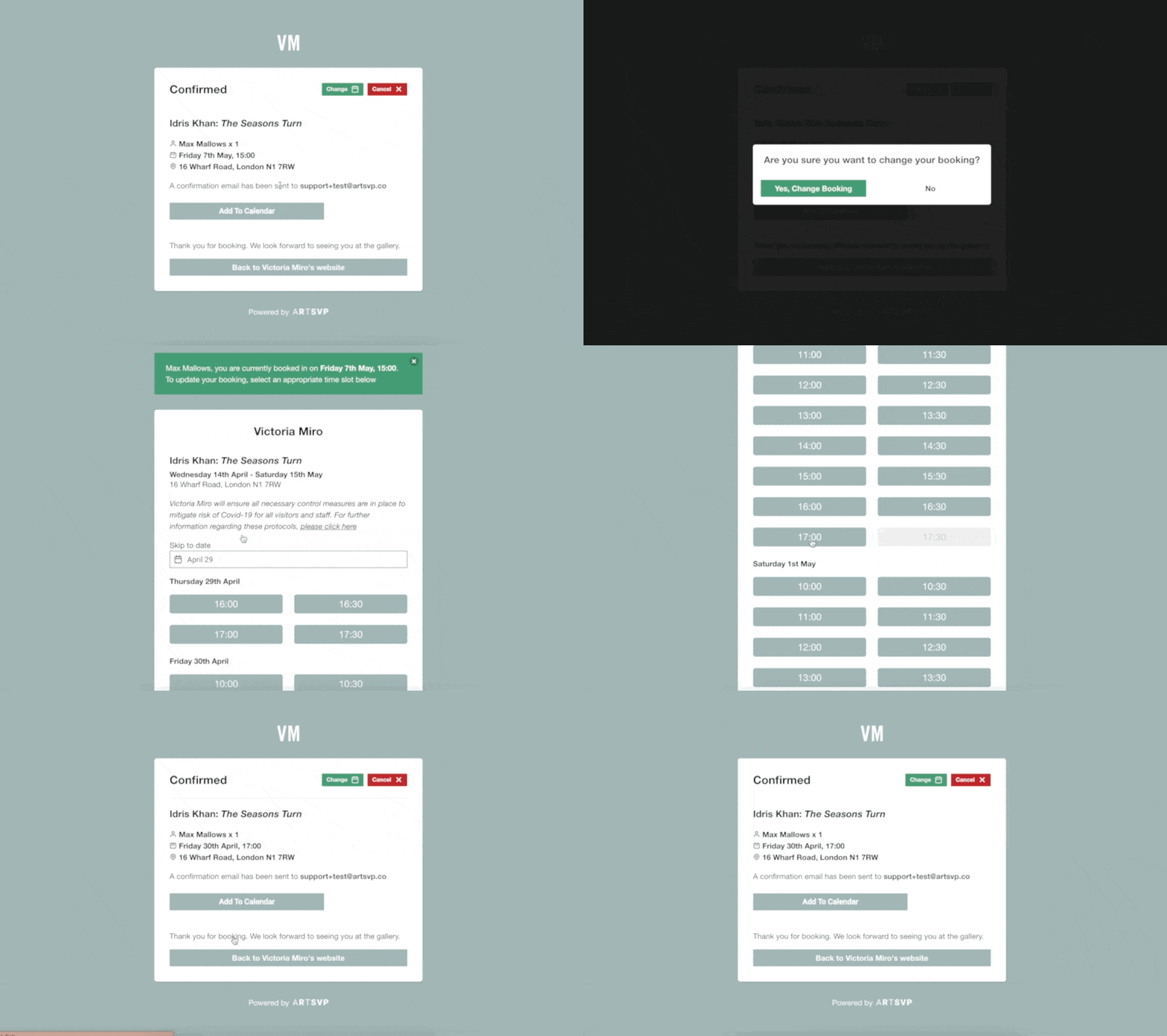
Visitors can now change their own booking
We secretly dropped a much anticipated feature a couple weeks ago that lets visitors change their booking slot if there are ones available.
You can disable this feature if you don't want to allow customers to make changes to their booking by going to the edit event page and scrolling to the bottom where you can uncheck a box.
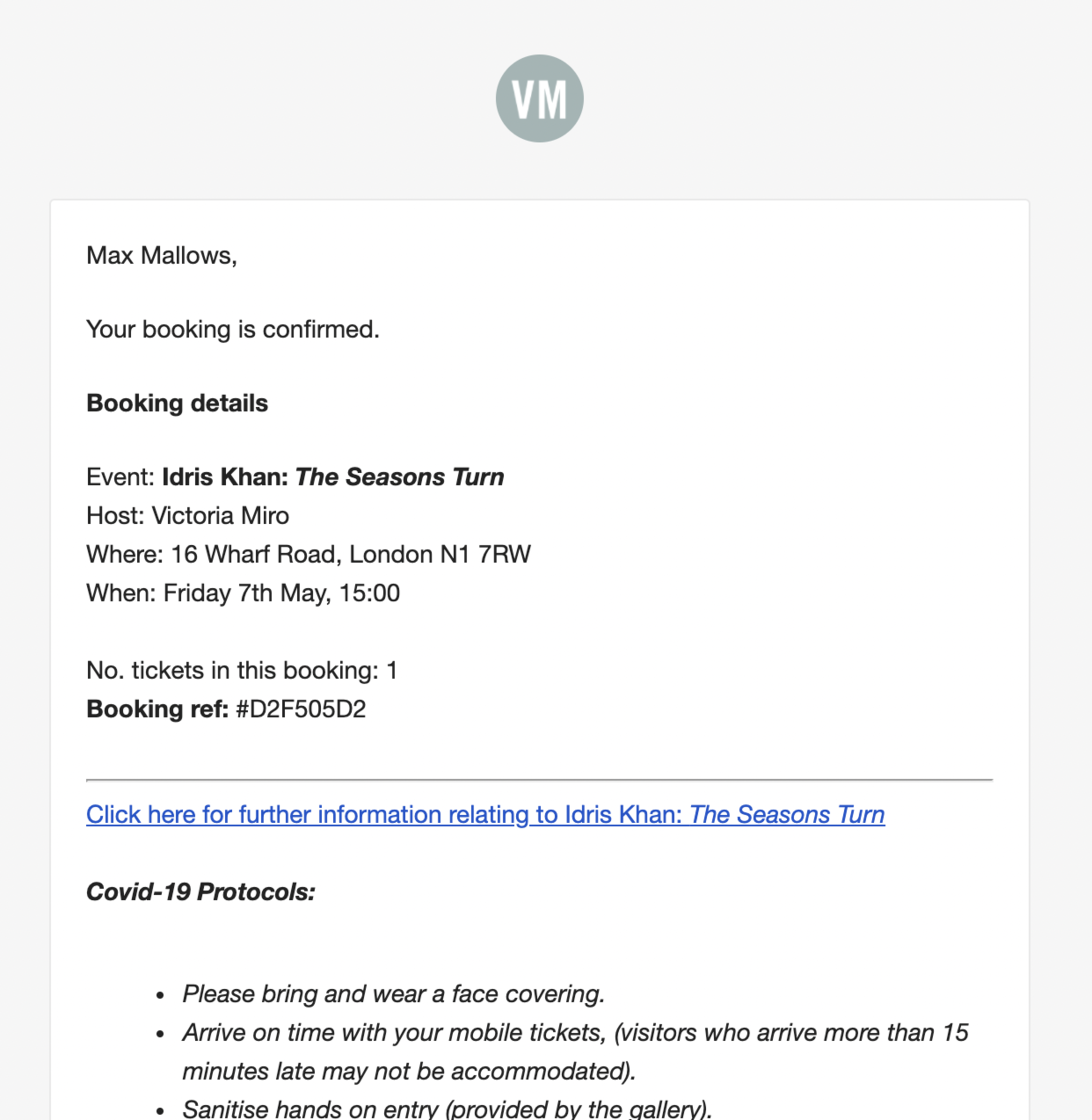
Custom logo on booking emails
We have recently pushed an update that uses the same logo show on booking pages in the booking confirmation emails your visitors receive.
To update this simply click on the Organisation Settings (from your dashboard).
Control your booking notifications
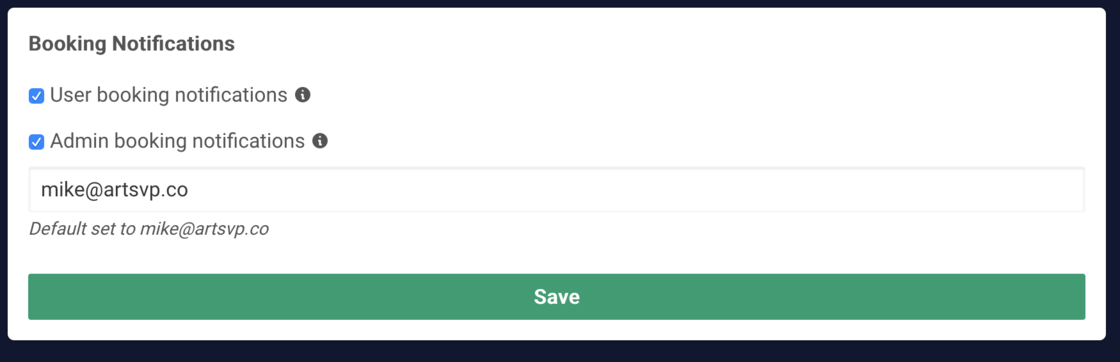
You can now control booking notifications at an organisational level. Notifications are currently all delivered via email. New channels coming soon!
Getting loads bookings and sick of the email notifications? Simple turn off Admin booking notifications under Settings -> Alerts
If you would like to disable the automated emails (confirmations, cancellations and updates) sent to users who book your event, you can also tunrn these off via User booking notifications